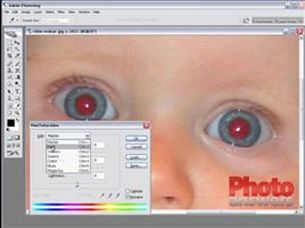
 Photo courtesy of PhotoAnswers.co.uk Click to be taken to a Video Tutorial for Photoshop Get the Red Out! Photography Tip for May 2009 The red-eye effect in photography is the common appearance of red pupils in color photographs of eyes. It occurs when using a flash very close to the camera lens (which is the case with most compact cameras). This effect appears in the eyes of humans and many animal photographs and occurs because the flash is too fast for the pupil to close. So much of the light from the flash passes into the eye through the pupil, reflects off the back of the eyeball and out through the pupil. The camera records this reflected light. The red eye effect in photos of animals can be quite different. Your pets have a reflective layer in the back of their eyes behind the retina which enhances their night vision. The color of this layer gives you a blue, green, yellow, or white eye effect which can be present in your pet, even when the ambient light is sufficient to prevent it in people. The red-eye effect can be prevented or significantly reduced in a number of ways:
1) Try using a bounce flash where the flash head is aimed at a nearby light colored surface such as; a ceiling or wall. This both changes the direction of the flash and ensures that only diffused flash light enters the eye. 2) Placing the flash away from the camera's lens (using an 'off-camera flash' and flash shoe) with your camera will change the angle that the light enters the eye, therefore reducing or eliminating the effect. 3) Whenever possible, take pictures without using the flash. You can try increasing the ambient lighting in the room, opening the lens aperture to let more light into the lens, setting your camera's ISO to a higher speed, or reducing the shutter speed to increase the light that reaches your recorded exposure. 4) Using the red-eye reduction capabilities built into many digital cameras can reduce and often eliminate the effect by producing a series of short, low-power flash bursts triggering the iris to contract before the full-power of the flash is executed. 5) If you can increase the light in the room, the subject's pupils are more constricted and will reflect back less light. You can also position yourself next to a strong light source in the room which will help constrict their pupils. 6) If you can not use any of the above options, then try having the subject look away slightly from the camera lens. If they focus their eyes just to the right or left of the camera lens, like the kitten shown here, often you'll get great shots with bright natural colored eyes. The kitten was deep in the bushes; I used my flash but positioned myself just to the side and waited until kitty looked just slightly over my shoulder. Happy Shooting!!
0 Comments
Your comment will be posted after it is approved.
Leave a Reply. |
Resources
Here we archive our Photo Tips, Tutorials, Marketing Tips and Preset Downloads from all our sites. ENJOY! Categories
All
My favorite
|





|
|

Commercial License Holder
|


Salon of Art
on Red bubble